To install a plugin for Abaqus CAE that allows export from Abaqus directly, the following files have to be copied to the Abaqus plugin directory:
- element_faces.py
- export_faces_plugin.py
- export_faces_db.py
- export_faces_module.py
- mesh_converter.py
- odb2json.py
Plugin directory locations:
- Windows: C:\Users<username>\abaqus_plugins\vic_export
- Linux: ~/abaqus_plugins/vic_export
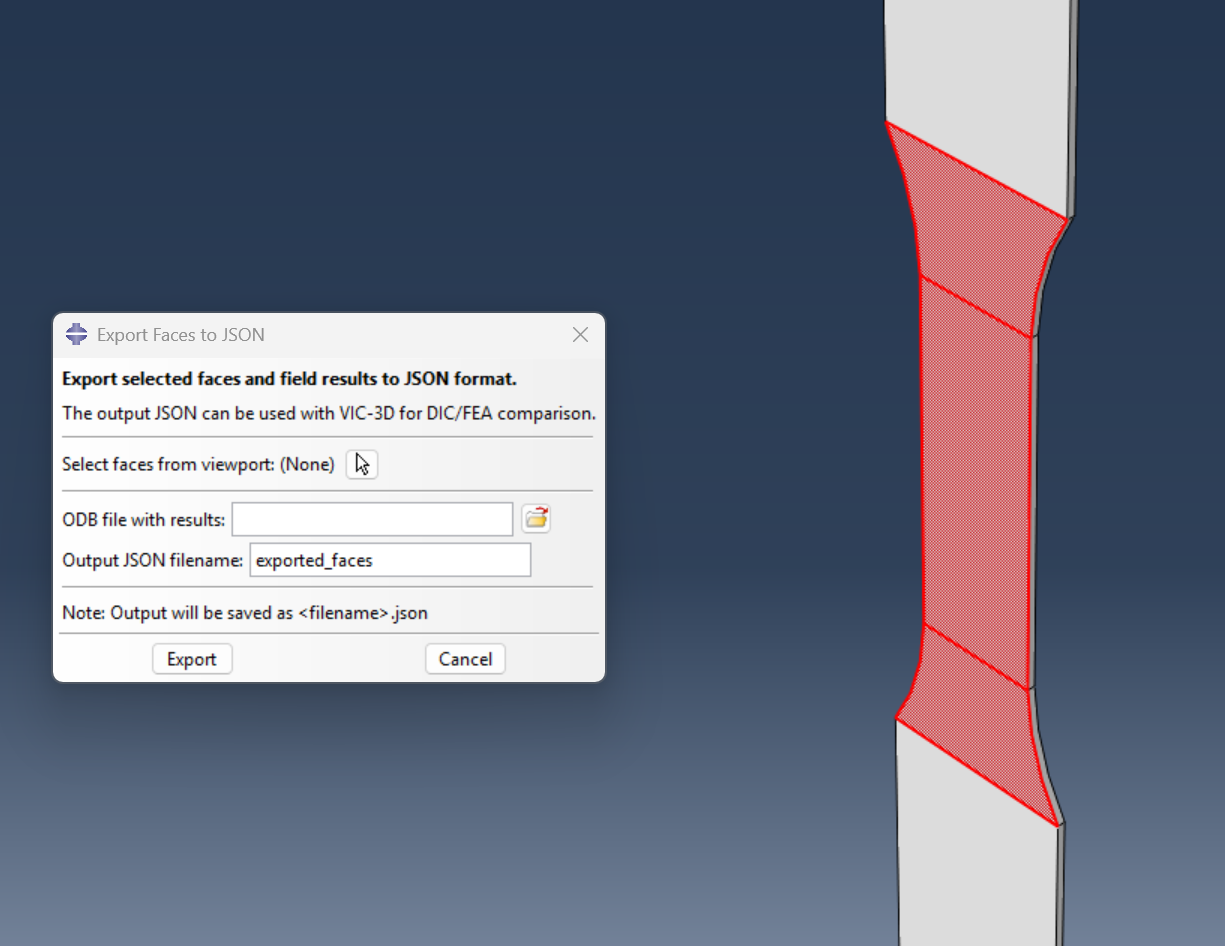
The plugin can be used as follows:
- Open your model in Abaqus/CAE
- Go to Plug-ins > Export Faces to JSON
- Click "Select faces" and pick faces in the viewport and click "Done"
- Browse to select the ODB file with results
- Specify output filename
- Click OK to export
Ian Adkins
Comments