If you've recently updated to VIC-Snap 10 and your cameras appear as blank white camera windows when a DAQ is connected, you may need to enable software triggering.
In this condition, VIC-Snap may appear like this on startup: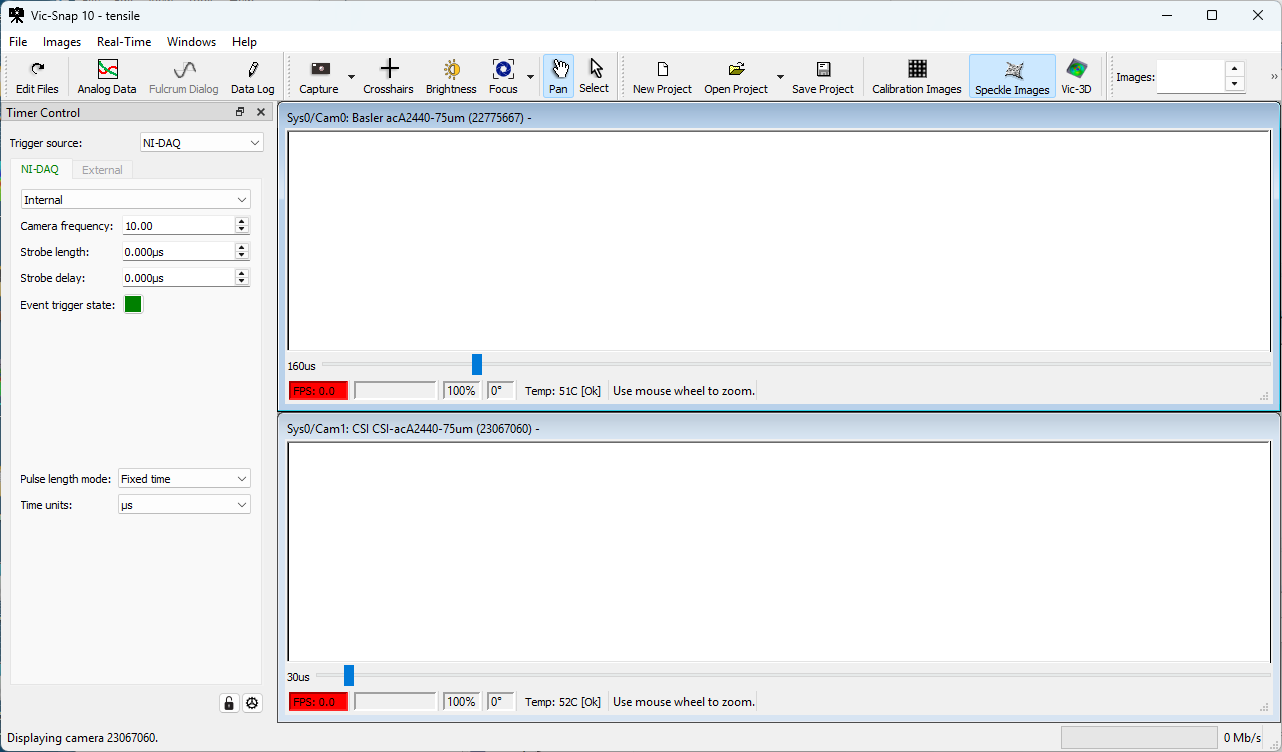
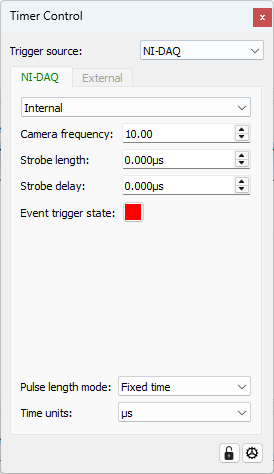
Click the gear icon at the lower right to show the configuration dialog.
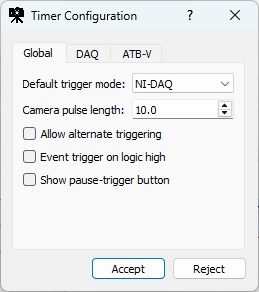
Check "Allow alternate triggering" to enable software triggering. Click Accept, and then use the pulldown in the timer control to change the Trigger source to Software.
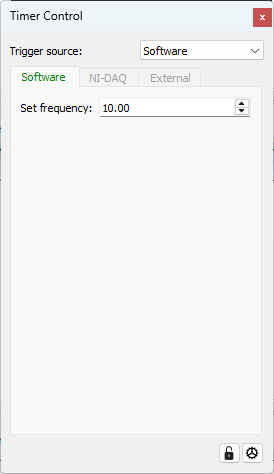
The camera images should appear. To set this as the default state, click the gear once more, and change the Default trigger mode to Software.
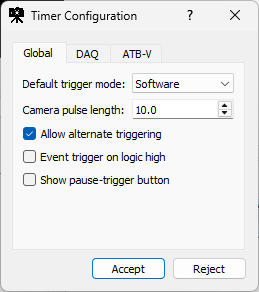
Click Accept to complete.
Note: While software triggering can work well in many applications, hardware triggering will provide somewhat better synchronization, and this can give better results for calibration and testing, especially at high magnification. This is the motivator for making hardware triggering the default option in VIC-Snap 10.
Ian Adkins
Comments